搭配 Arduino 使用
本例程已经在Arduino uno上测试通过,直接按下图插入Arduino uno即可
插入方式:
连接图如下(点击可放大):
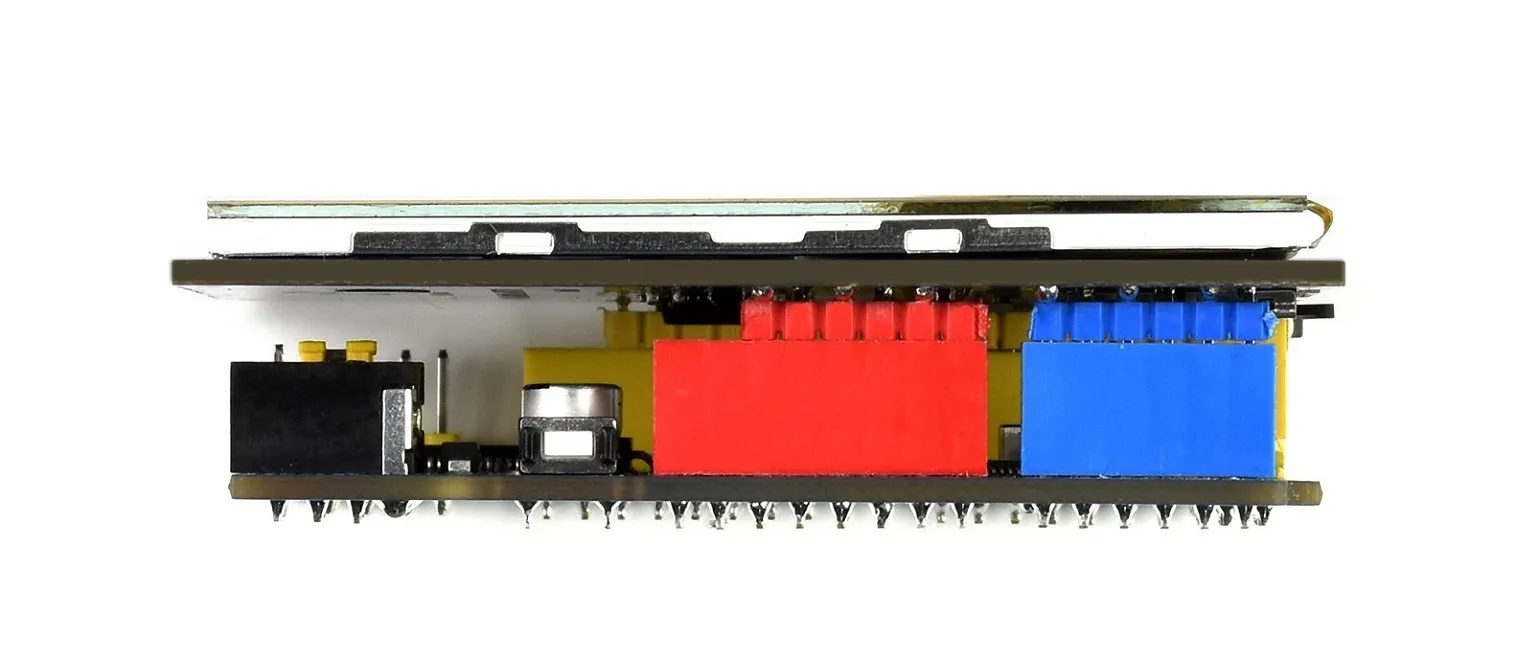
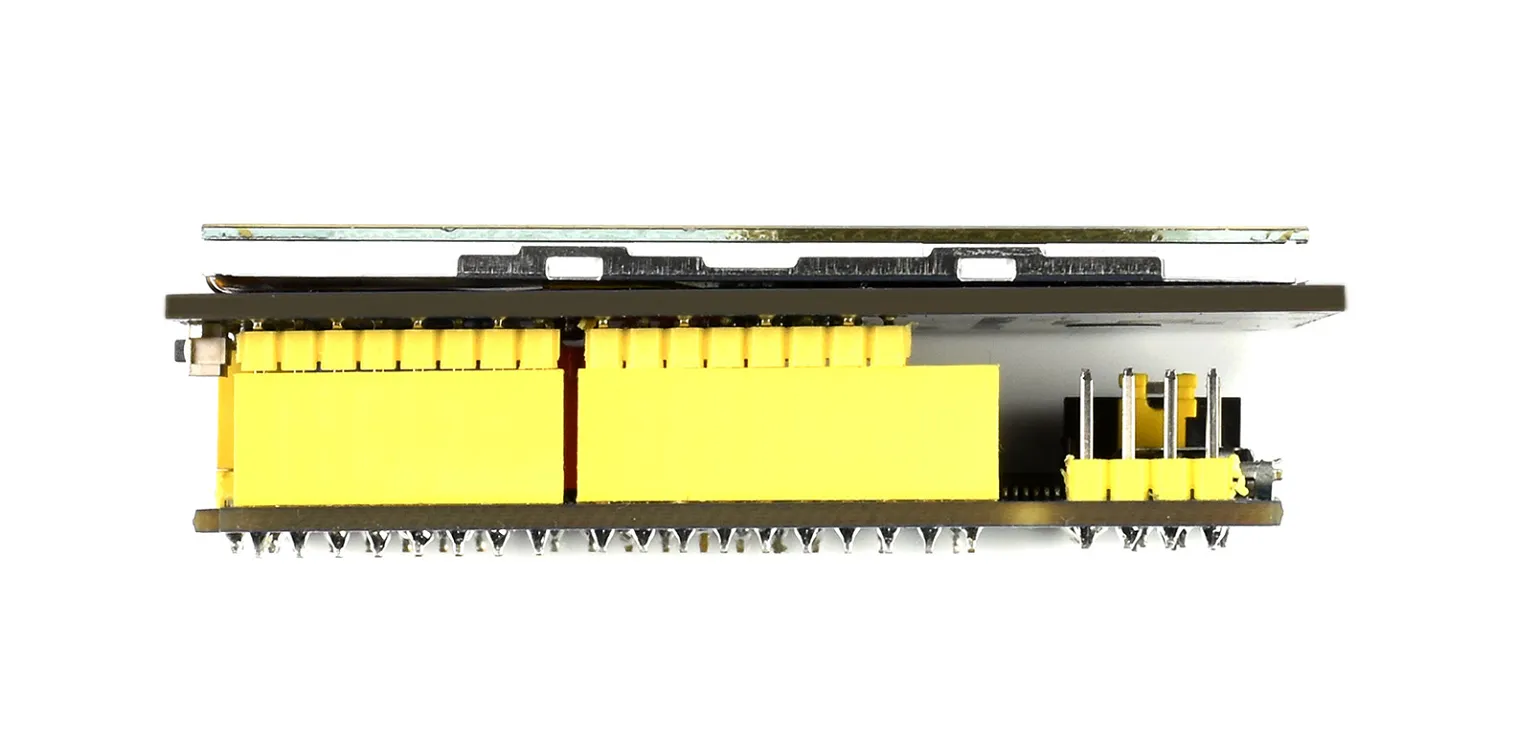
硬件连接注意事项:
● Arduino主板带有ICSP接口时,显示模块上的SB1,SB2,SB3保持开路。
● Arduino主板没有ICSP接口时,显示模块上的SB1,SB2,SB3需要分别焊上0R电阻,保持短路。
安装编译软件(Windows教程)
运行程序
把例程中2.8inch_TFT_Touch_Shield/Arduino/lib路径下的文件复制到Arduino的\Arduino\libraries目录下
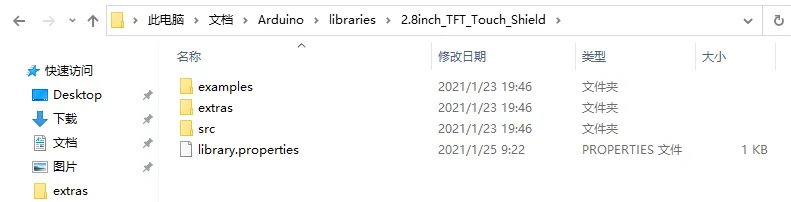
打开example下的示例程序,例如DisplayString.ino,然后选择开发板型号Arduino UNO
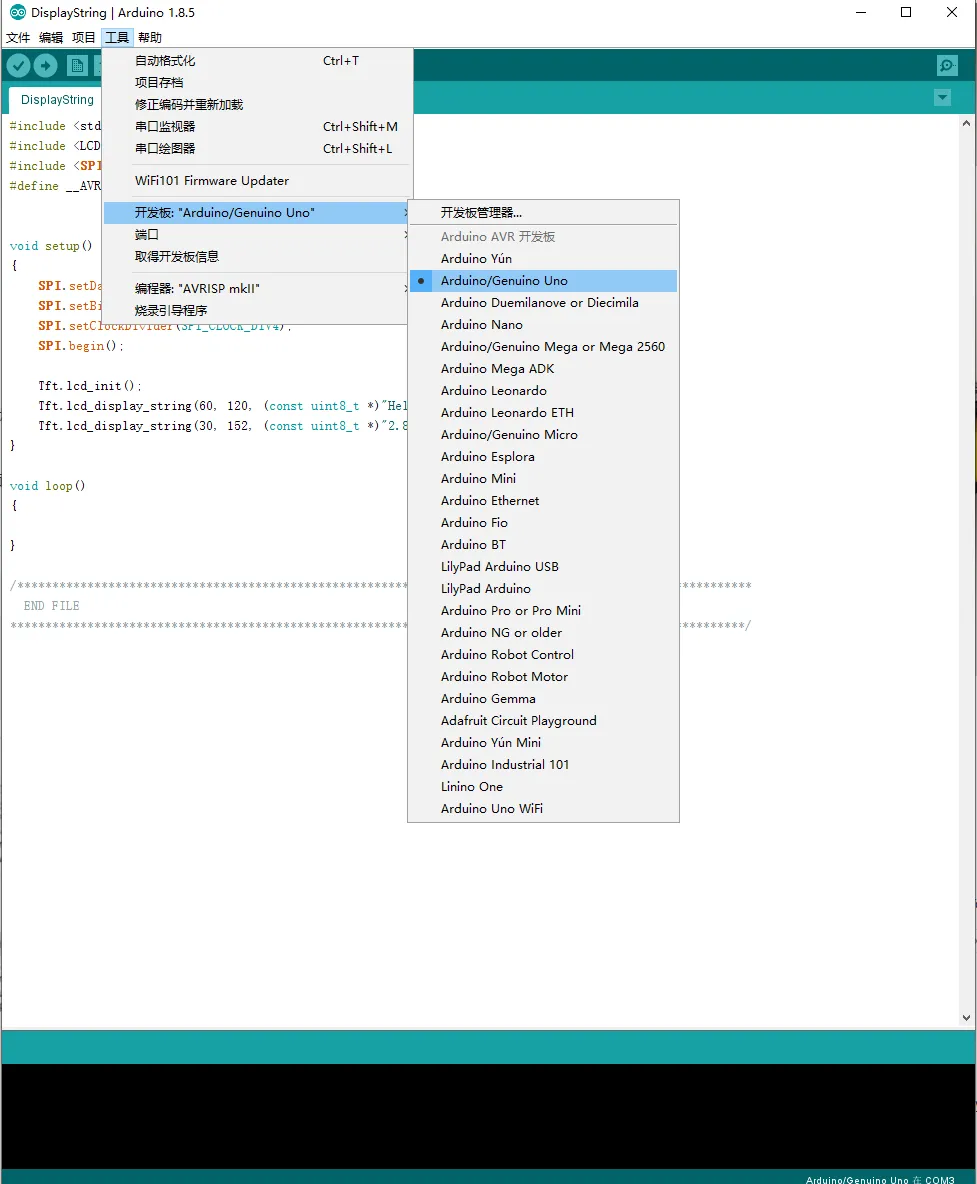
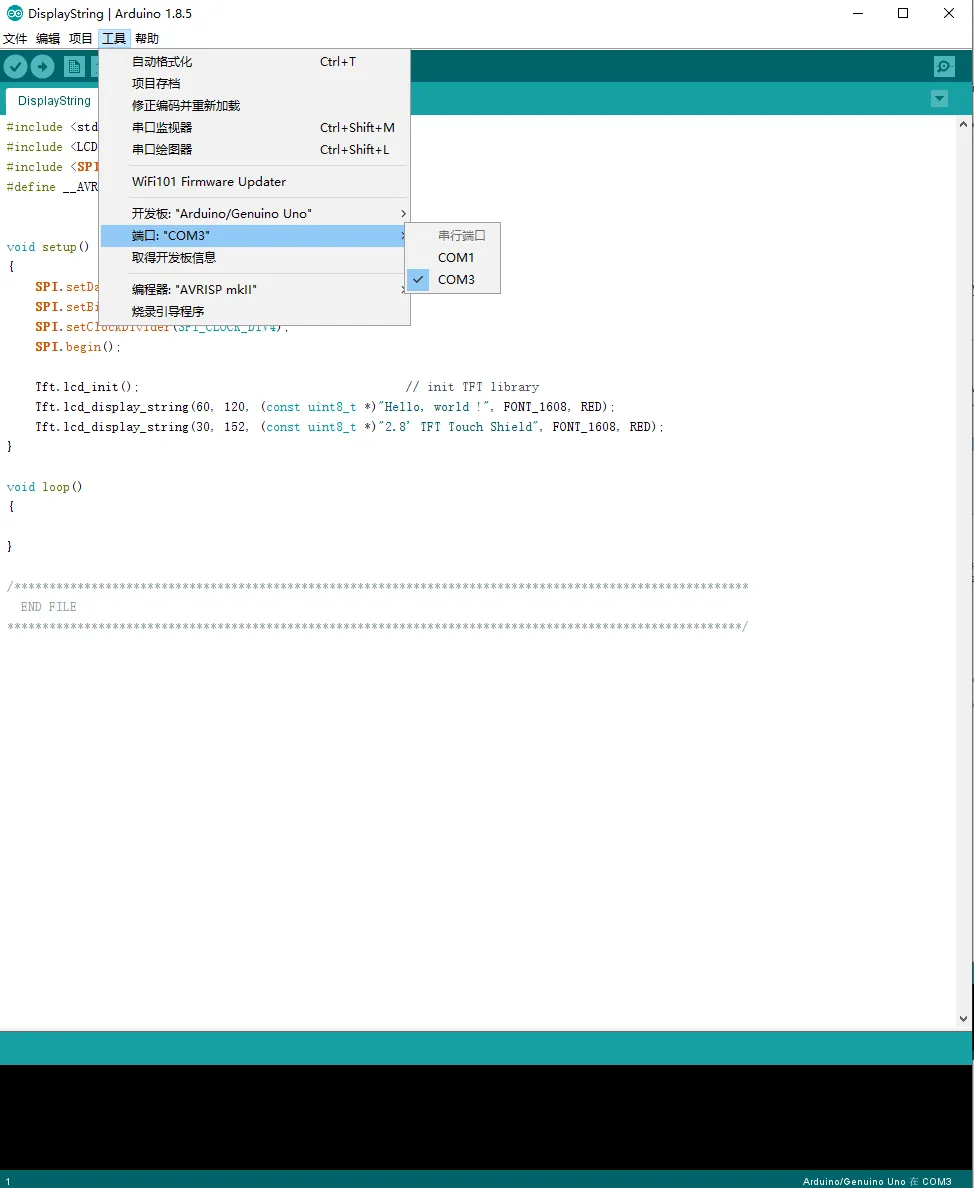
选择对应的COM口
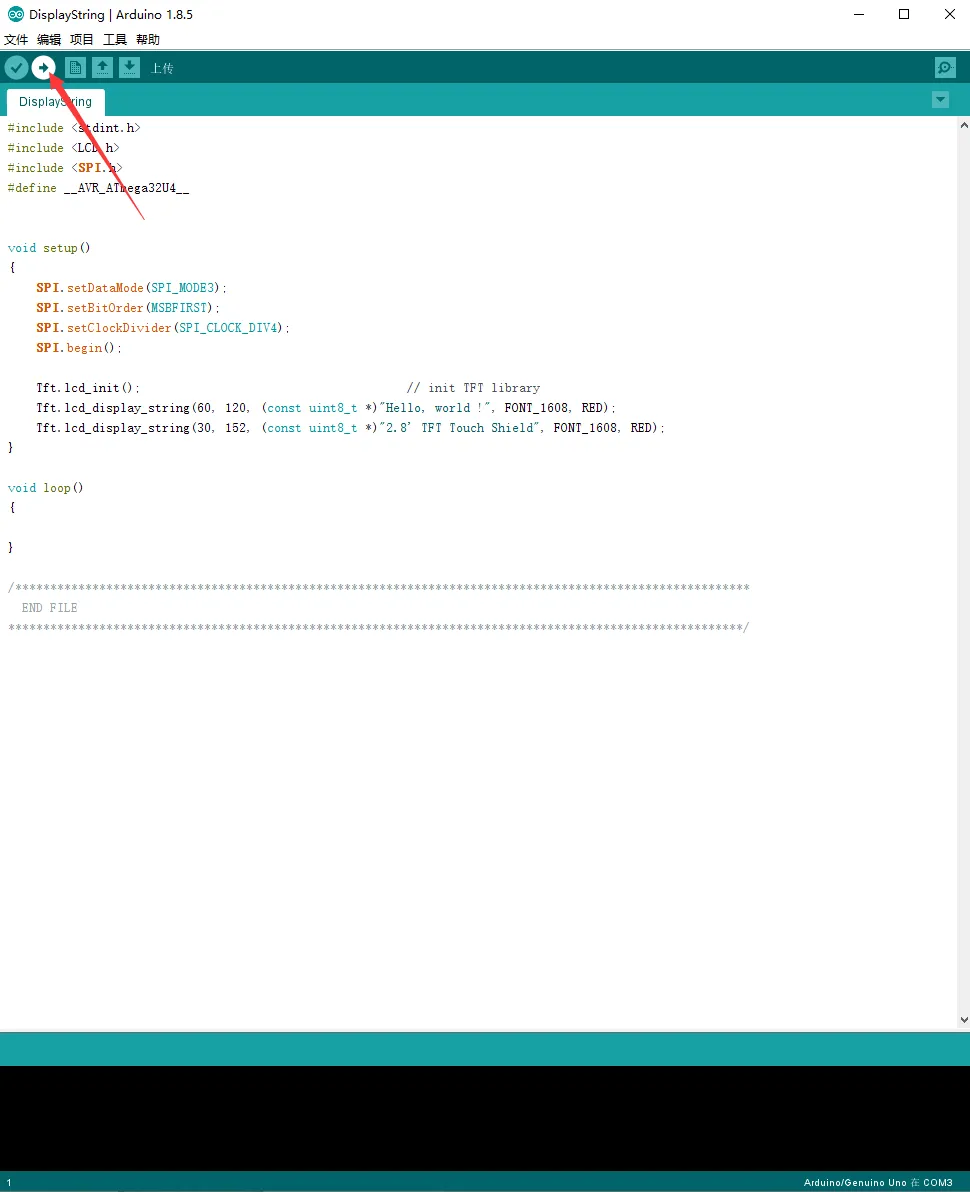
然后点击编译并下载即可
程序说明
例程中所给的四个示例代码DisplayString、DrawGraphic、ShowBMP、TouchPanel分别用于显示字符串、显示一些不同的图形、显示BMP格式的图片、触摸笔功能
在进行ShowImage显示图片实验前,先把资料中PIC文件夹下中的图片复制到SD卡根目录 (根目录想必你应该明白吧,就是将图片直接存到SD卡,不要放在任何子文件夹里哈)
然后将SD卡插入屏幕背面的SD卡卡槽里开始下载程序验证即可
在进行触摸屏实验TouchPanel前,必须根据显示提示校准触摸屏。打开相应工程,烧写程序,运行的时候会提示:
Please use the stylus click the cross on the screen. The cross will always move until the screen adjustment is completed.
根据提示,点击屏幕上的红色+号,直到校准完毕。
点击LCD右上角的CLEAR,清除显示
关于触摸屏的功能函数都在Touch.cpp里:
-
校准触摸屏
tp_adjust() -
将屏幕清屏显示全白
tp_dialog() -
开启画板
tp_draw_board()
关于显示的功能函数都写在LCD.cpp中,我们来大致看看这些函数:
-
屏幕屏初始化,在这里完成对ST7789芯片的配置写入
void TFT::lcd_init()//屏幕初始化 -
画点
void TFT::lcd_draw_point(uint16_t hwXpos, uint16_t hwYpos, uint16_t hwColor) -
显示一个字符
void TFT::lcd_display_char(uint16_t hwXpos, uint16_t hwYpos, uint8_t chChr, uint8_t chSize, uint16_t hwColor) -
显示一个数字
void TFT::lcd_display_num(uint16_t hwXpos,uint16_t hwYpos,uint32_t chNum,uint8_t chLen,uint8_t chSize,uint16_t hwColor) -
画直线
void TFT::lcd_draw_line(uint16_t hwXpos0,uint16_t hwYpos0,uint16_t hwXpos1,uint16_t hwYpos1,uint16_t hwColor) -
画圆
void TFT::lcd_draw_circle(uint16_t hwXpos,uint16_t hwYpos,uint16_t hwRadius,uint16_t hwColor) -
画水平直线
void TFT::lcd_draw_v_line(uint16_t hwXpos,uint16_t hwYpos,uint16_t hwHeight,uint16_t hwColor) -
画垂直直线
void TFT::lcd_draw_h_line(uint16_t hwXpos,uint16_t hwYpos,uint16_t hwWidth,uint16_t hwColor) -
画矩形
void TFT::lcd_draw_rect(uint16_t hwXpos,uint16_t hwYpos,uint16_t hwWidth,uint16_t hwHeight,uint16_t hwColor)
在font.c文件中,定义了高12宽6以及高16宽8的两种大小的字体
需要注意的是:图片的格式要是240*320, 24bit, bmp,SD卡的格式要是FAT格式。