第3节 ESPHome 配置文件编辑
1. 快速开始
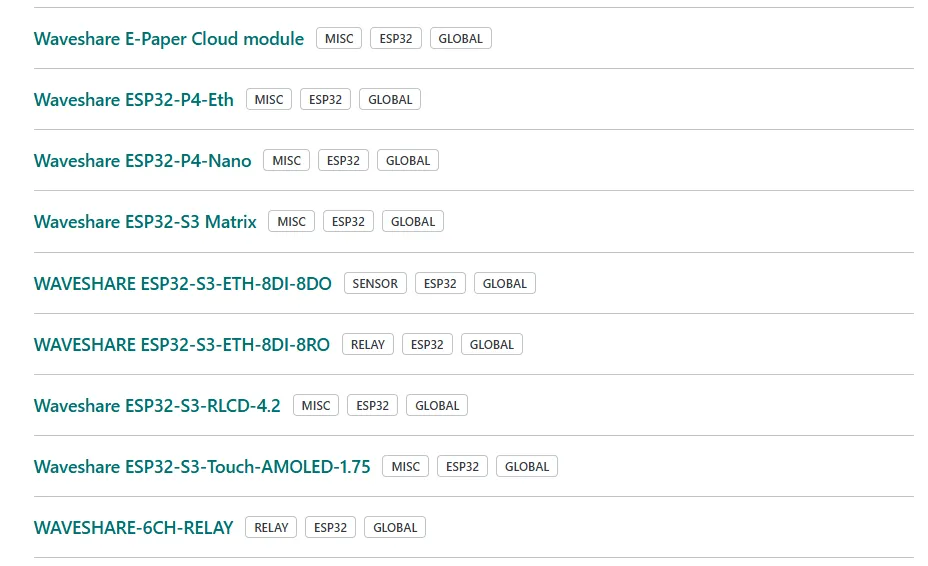
以下设备已经提供了 ESPHome 配置文件,可以访问 devices.esphome.io 来快速开始。
2. 演示产品介绍
配置文件编辑以微雪 ESP32-S3-RLCD-4.2 开发板为例进行演示
- 该显示屏需使用外部 ESPHome 组件:
kylehase/ESPHome-ST7305-RLCD - 显示屏渲染和音频缓冲必须使用 8MB 八线 PSRAM
- 必须通过
GPIO46启用扬声器功放 才能输出音频 - 主板搭载
PCF85063A实时时钟(RTC) 和 microSD 卡槽,当前配置暂不支持 - 主板配有 2 个 8 针扩展排针(间距 2.54mm)
2.1 产品描述
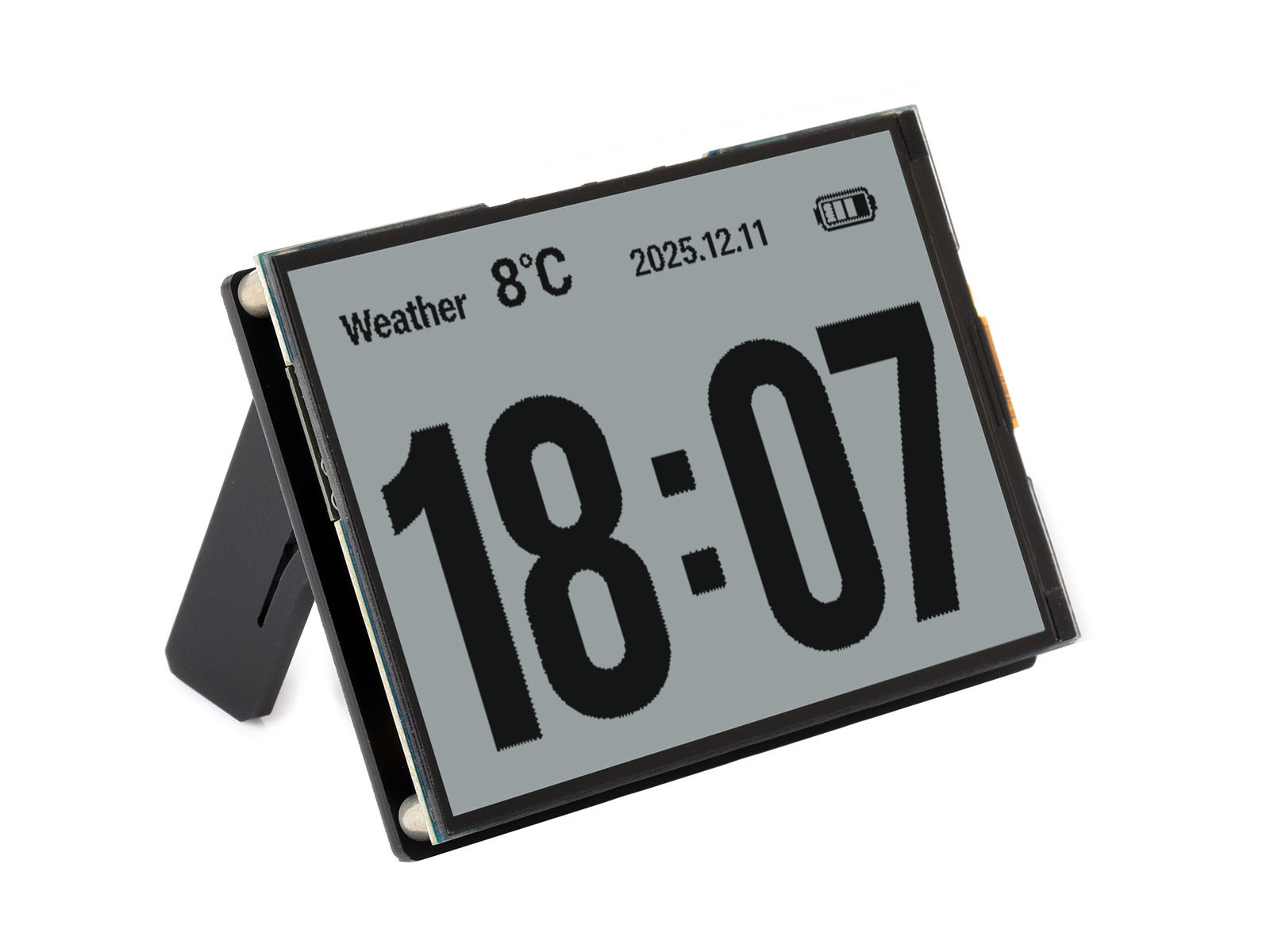
这款 ESP32-S3 开发板 搭载:4.2 英寸反射式单色 LCD 屏(ST7305 驱动,分辨率 400×300)、双麦克风阵列(ES7210 ADC)、扬声器音频输出(ES8311 DAC)、SHTC3 温湿度传感器、带 ADC 电压监测的 18650 电池座,以及两枚用户自定义按键。
2.2 产品图片
2.3 GPIO 引脚
| GPIO | 功能 |
|---|---|
| GPIO0 | BOOT button (active low) |
| GPIO4 | Battery ADC |
| GPIO5 | Display DC |
| GPIO8 | I2S DOUT (speaker) |
| GPIO9 | I2S BCLK |
| GPIO10 | I2S DIN (microphone) |
| GPIO11 | SPI CLK (display) |
| GPIO12 | SPI MOSI (display) |
| GPIO13 | I2C SDA |
| GPIO14 | I2C SCL |
| GPIO16 | I2S MCLK |
| GPIO18 | KEY button (active low) |
| GPIO40 | Display CS |
| GPIO41 | Display RESET |
| GPIO45 | I2S LRCLK |
| GPIO46 | Speaker amplifier enable |
3. 配置文件
3.1 基本配置
substitutions:
  name: "waveshare-esp32-s3-rlcd-42"
  friendly_name: "Waveshare ESP32-S3-RLCD-4.2"

esphome:
  name: "${name}"
  friendly_name: "${friendly_name}"

esp32:
  board: esp32-s3-devkitc-1
  framework:
    type: esp-idf

psram:
  mode: octal
  speed: 80MHz

logger:

wifi:
  ssid: !secret wifi_ssid
  password: !secret wifi_password

external_components:
  - source: github://kylehase/ESPHome-ST7305-RLCD
    components: [st7305_rlcd]
3.2 I2C 总线
SHTC3 传感器、ES8311 DAC 和 ES7210 ADC 共用。
i2c:
  sda: GPIO13
  scl: GPIO14
  scan: true
  id: bus_a
3.3 显示屏 — ST7305 RLCD
反射式单色 LCD 屏,分辨率 400×300,采用 SPI 接口
spi:
  clk_pin: GPIO11
  mosi_pin: GPIO12

display:
  - platform: st7305_rlcd
    model: WAVESHARE_400X300
    id: my_display
    width: 400
    height: 300
    cs_pin: GPIO40
    dc_pin: GPIO5
    reset_pin: GPIO41
    data_rate: 1MHz
    update_interval: 1min
    show_test_card: true
3.4 音频 — I2S,ES8311,ES7210
扬声器输出与双麦克风输入共用一条 I2S 总线
i2s_audio:
  - id: i2s_shared
    i2s_lrclk_pin: GPIO45
    i2s_bclk_pin: GPIO9
    i2s_mclk_pin: GPIO16

audio_dac:
  - platform: es8311
    id: es8311_dac
    bits_per_sample: 16bit
    sample_rate: 16000

audio_adc:
  - platform: es7210
    id: es7210_adc
    bits_per_sample: 16bit
    sample_rate: 16000
    mic_gain: 24dB

speaker:
  - platform: i2s_audio
    id: i2s_audio_speaker
    i2s_audio_id: i2s_shared
    i2s_dout_pin: GPIO8
    dac_type: external
    audio_dac: es8311_dac
    channel: left
    sample_rate: 16000
    bits_per_sample: 16bit
    buffer_duration: 100ms
    timeout: never

microphone:
  - platform: i2s_audio
    id: va_mic
    i2s_audio_id: i2s_shared
    i2s_din_pin: GPIO10
    adc_type: external
    sample_rate: 16000
    bits_per_sample: 16bit
    pdm: false

switch:
  - platform: gpio
    name: "Speaker Enable"
    pin: GPIO46
    restore_mode: RESTORE_DEFAULT_ON
3.5 传感器
3.5.1 电池监控
电池电压通过 GPIO4 引脚上的 ADC 读取,电路采用 3 倍分压。18650 电池电压范围:2.5V(电量耗尽)~ 4.2V(满电)。
sensor:
  - platform: adc
    id: bat_voltage
    name: "Battery Voltage"
    pin: GPIO4
    attenuation: 12db
    update_interval: 60s
    filters:
      - multiply: 3.0

  - platform: copy
    source_id: bat_voltage
    id: bat_level
    name: "Battery Level"
    unit_of_measurement: "%"
    filters:
      - calibrate_linear:
          - 2.5 -> 0.0
          - 4.2 -> 100.0
      - clamp:
          min_value: 0
          max_value: 100
3.5.2 SHTC3 温湿度传感器
  - platform: shtcx
    temperature:
      name: "Temperature"
    humidity:
      name: "Humidity"
    address: 0x70
    update_interval: 60s
    i2c_id: bus_a
3.6 按钮
两个用户可自定义按键,低电平有效
binary_sensor:
  - platform: gpio
    name: "Boot Button"
    pin:
      number: GPIO0
      inverted: true
      mode: INPUT

  - platform: gpio
    name: "Key Button"
    pin:
      number: GPIO18
      inverted: true
      mode: INPUT
3.7 语音助手配置
本配置在上述基础配置上进行扩展,新增完整语音助手链路,支持设备本地唤醒词检测、按键对讲、静音切换以及媒体播放功能。需搭配已配置好语音助手流程的 Home Assistant 服务端 使用。
api:

ota:
  - platform: esphome

esp32:
  board: esp32-s3-devkitc-1
  framework:
    type: esp-idf
    components:
      - espressif/esp-nn==1.1.2

speaker:
  - platform: i2s_audio
    id: i2s_audio_speaker
    i2s_audio_id: i2s_shared
    i2s_dout_pin: GPIO8
    dac_type: external
    audio_dac: es8311_dac
    channel: left
    sample_rate: 16000
    bits_per_sample: 16bit
    buffer_duration: 100ms
    timeout: never

  - platform: resampler
    id: announcement_speaker
    output_speaker: i2s_audio_speaker

media_player:
  - platform: speaker
    id: speaker_media_player
    name: None
    announcement_pipeline:
      speaker: announcement_speaker
      format: FLAC
      sample_rate: 16000
      num_channels: 1
    files:
      - id: wake_word_triggered_sound
        file: https://github.com/esphome/home-assistant-voice-pe/raw/dev/sounds/wake_word_triggered.flac

micro_wake_word:
  id: mww
  microphone:
    microphone: va_mic
    channels: 0
    gain_factor: 4
  vad:
  models:
    - model: hey_jarvis
  on_wake_word_detected:
    - media_player.speaker.play_on_device_media_file:
        media_file: wake_word_triggered_sound
        announcement: true
    - delay: 300ms
    - voice_assistant.start:
        wake_word: !lambda return wake_word;

voice_assistant:
  id: va
  microphone:
    microphone: va_mic
    channels: 0
    gain_factor: 4
  media_player: speaker_media_player
  micro_wake_word: mww
  use_wake_word: false
  noise_suppression_level: 2
  auto_gain: 31dBFS
  on_error:
    - script.execute: restart_mww
  on_end:
    - script.execute: restart_mww
  on_client_connected:
    - micro_wake_word.start:
  on_client_disconnected:
    - micro_wake_word.stop:

script:
  - id: restart_mww
    then:
      - delay: 500ms
      - wait_until:
          not:
            media_player.is_announcing:
      - wait_until:
          not:
            speaker.is_playing:
              id: i2s_audio_speaker
      - delay: 200ms
      - micro_wake_word.start:

switch:
  - platform: gpio
    name: "Speaker Enable"
    pin: GPIO46
    restore_mode: RESTORE_DEFAULT_ON

  - platform: template
    name: "Mute"
    id: mute_switch
    icon: mdi:microphone-off
    optimistic: true
    restore_mode: RESTORE_DEFAULT_OFF
    on_turn_on:
      - micro_wake_word.stop:
      - voice_assistant.stop:
    on_turn_off:
      - if:
          condition:
            switch.is_on: use_wake_word_switch
          then:
            - micro_wake_word.start:

  - platform: template
    name: "Use Wake Word"
    id: use_wake_word_switch
    icon: mdi:chat-processing
    optimistic: true
    restore_mode: RESTORE_DEFAULT_ON
    on_turn_on:
      - if:
          condition:
            not:
              switch.is_on: mute_switch
          then:
            - micro_wake_word.start:
    on_turn_off:
      - micro_wake_word.stop:

binary_sensor:
  - platform: gpio
    name: "Boot Button"
    pin:
      number: GPIO0
      inverted: true
      mode: INPUT
    on_press:
      - voice_assistant.start:
    on_release:
      - voice_assistant.stop:

  - platform: gpio
    name: "Key Button"
    pin:
      number: GPIO18
      inverted: true
      mode: INPUT
    on_press:
      - switch.toggle: mute_switch

number:
  - platform: template
    name: "TTS Volume"
    id: tts_volume
    icon: mdi:volume-high
    min_value: 0
    max_value: 100
    step: 5
    initial_value: 75
    optimistic: true
    restore_value: true
    set_action:
      then:
        - media_player.volume_set:
            id: speaker_media_player
            volume: !lambda "return x / 100.0;"
4. 将设备连接到 Home Assistant
确保虚拟机以及设备是在同一个网络下
-
当配置文件已烧录安装到设备,且设备连上无线网络后,在局域网允许设备发现的前提下,Home Assistant 会自动扫描发现该设备,并提示你完成接入配置:
-
打开你的 Home Assistant 系统,进入 ESPHome 集成项页面。
-
你也可以在 Home Assistant 的集成页面手动添加设备:点击右下角添加按钮,搜索「ESPHome」,然后输入 ESPHome 设备的主机名。设备主机名由你设置的设备名称生成;
-
若设备命名为
living-room-lamp,其主机名就是:living-room-lamp.local,若有需要,也可以直接填写设备 IP 地址进行接入。
-
-
每一台 ESPHome 设备都可以按以上流程逐一添加。
-
配置完成后,Home Assistant 会显示一个包含所有传感器、开关、数字输入和数字输出的传感器列表。