ESP32-S3 使用
本章包含以下内容:
配置开发环境
1. 安装和配置
- ESP32-S3 的环境搭建与基本使用请参考以下链接:
- 环境搭建完成后,连接传感器并下载 示例程序
示例程序
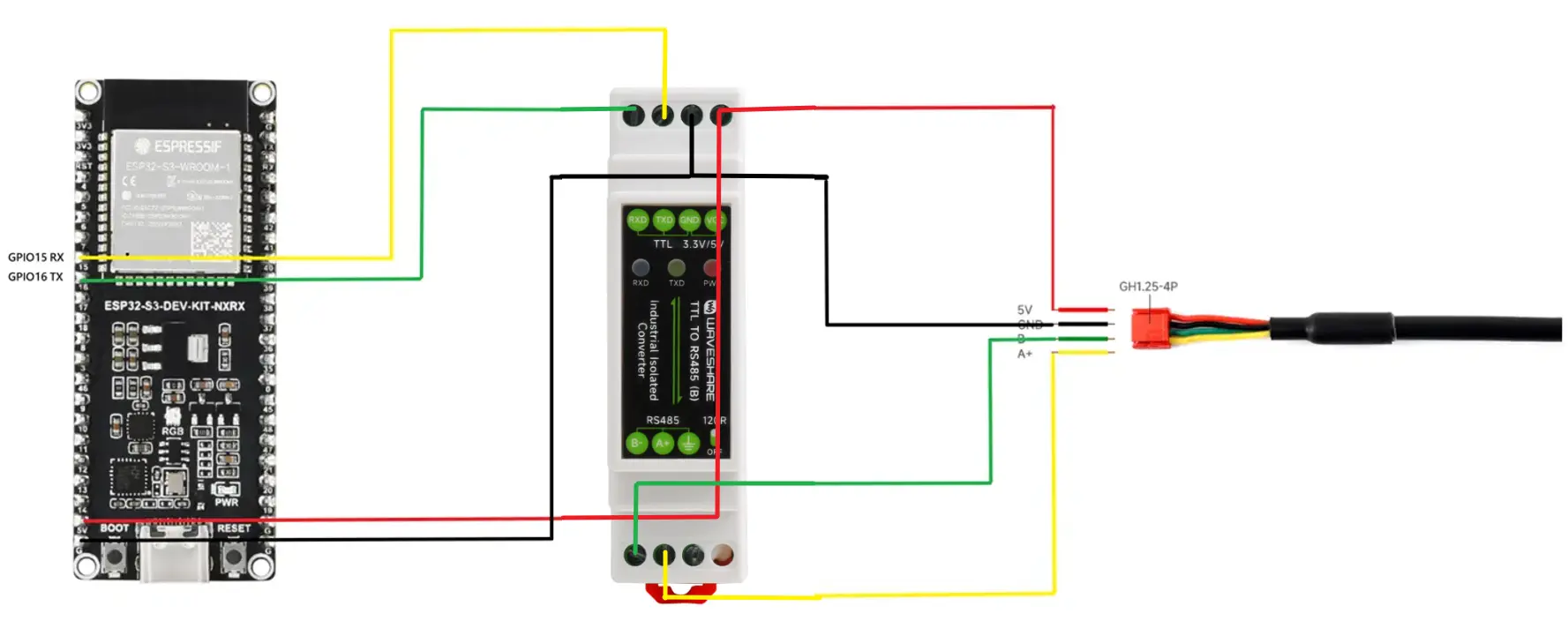
硬件连接
按下图连接。
运行 Arduino ESP32 程序
-
进入
TOF-MINIS-Range-Sensor\example\ESP32\esp32s3-arduino_example,双击esp32s3-arduino_example.ino文件。 -
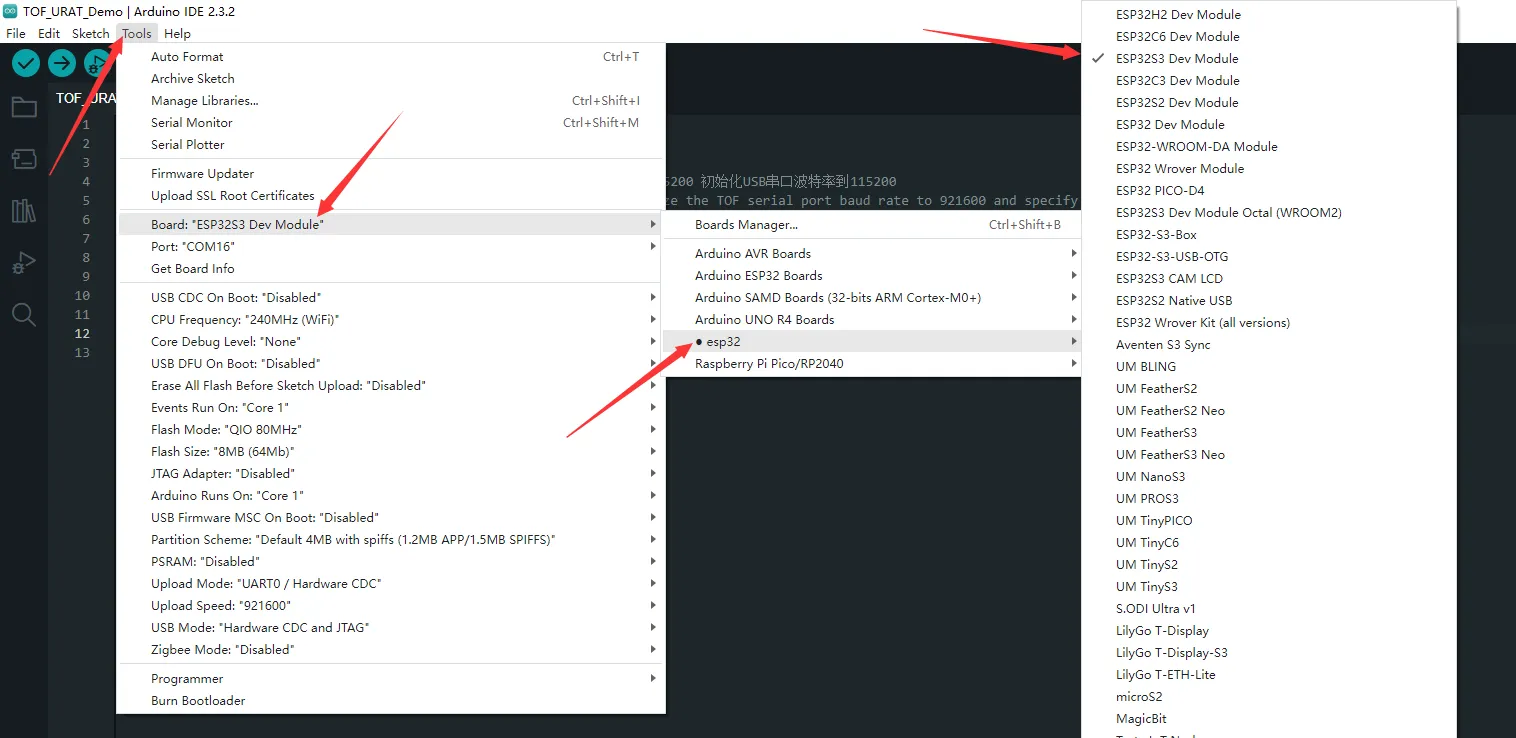
选择开发板:
-
选择 ESP32-S3 的端口,然后编译并上传。
-
上传完成后,打开串口监视器,查看输出信息。
运行 MicroPython 程序
-
进入
TOF-MINIS-Range-Sensor\example\ESP32\esp32s3-python_example,双击esp32s3-python_example.py文件。 -
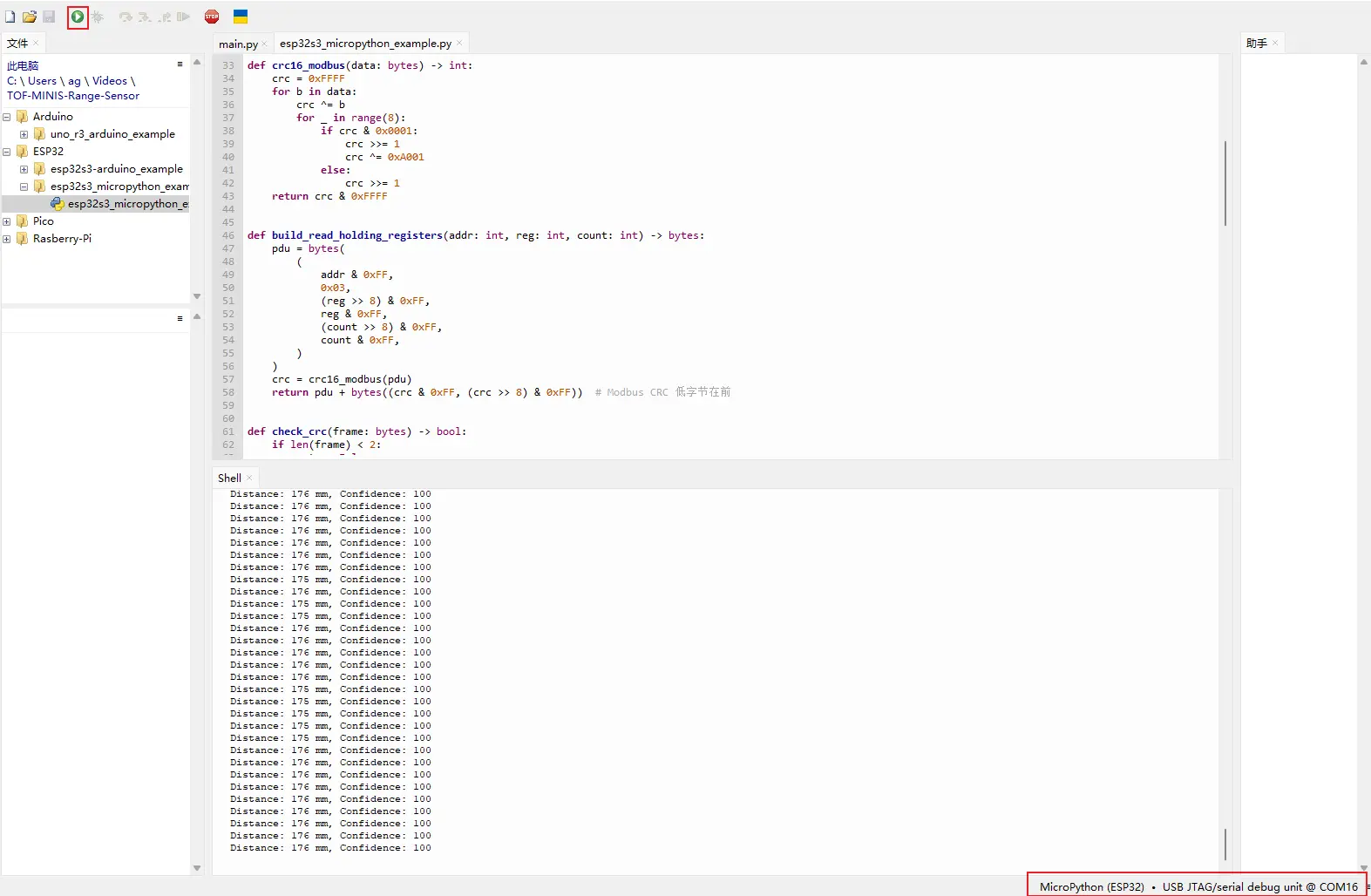
设置芯片型号为 ESP32,选择对应端口:
-
选择 ESP32-S3 的端口,然后运行程序。
-
Shell 中会输出相关信息。